
Two professionals reviewing information together on laptop in meeting room.
Colleagues collaborating on laptop during business meeting at office table.
Microsoft 365 Security

Complete Microsoft 365 Security with 365 Total Protection

Leverage an all-in-one email, data, and threat protection suite for Microsoft 365.

Overview

Secure, manage, and protect Microsoft 365 with an all-in-one platform

Combine email protection, backup and recovery, security awareness training, and governance in a single suite built for Microsoft 365. Simplify risk management, compliance, and administration with a centralized platform that protects your users, data, and collaboration workflows. Gain full visibility and control through a single interface that integrates seamlessly with your Microsoft 365 environment.

Why It Matters

Your users rely on M365 to communicate and collaborate

Built-in tools provide baseline protection, but they often leave gaps across email security, data protection, and user behavior. Closing these gaps with separate tools can increase complexity, slow response times, and make it harder to maintain consistent policies.

A unified approach helps you reduce risk, simplify operations, and keep communication and collaboration running without disruption.
Professional working on laptop in bright office environment.
Product Details

Stop email threats before they reach your users

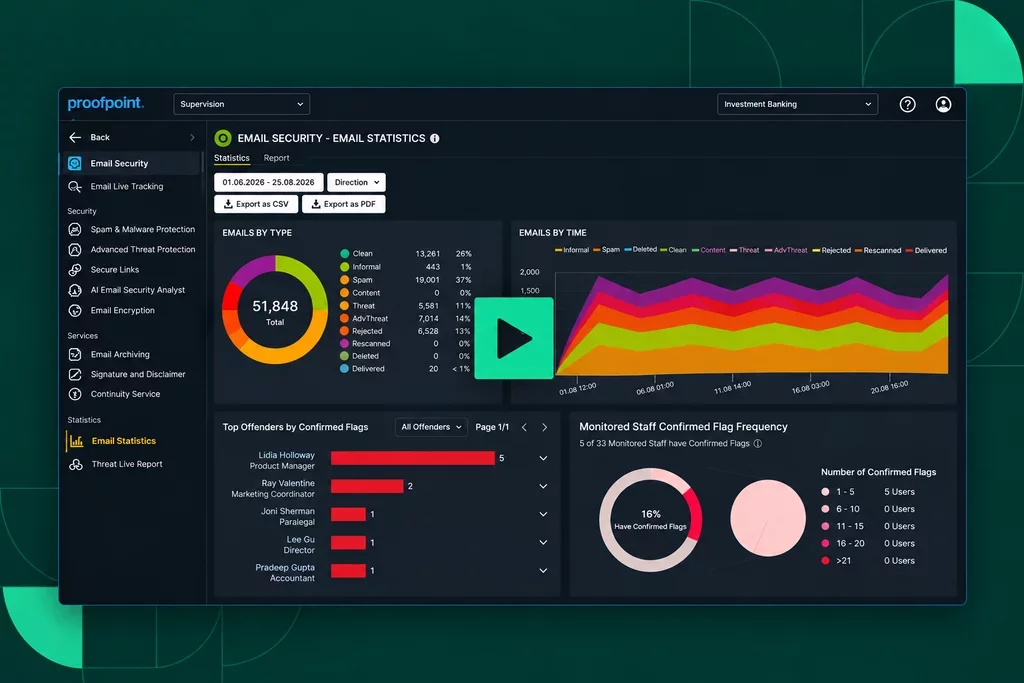
Proofpoint 365 Total Protection stops advanced email threats with AI-powered protection built for Microsoft 365. Block spam, malware, phishing attacks, and business email compromise (BEC) while managing authentication and policies from a single console.

AI-Powered Threat Detection

Stop advanced attacks automatically with ATP sandboxing, URL rewriting, BEC detection, and multilayer phishing/spam filtering.

Flexible Deployment Options

Deploy quickly with MX or API-based integration tailored to your Microsoft 365 environment.

Automated Threat Remediation

Remove malicious messages in real time with automated or manual post-delivery response actions.

Secure Email Communications

Enable automatic digital signing and email encryption via S/MIME and PGP, secure messaging via Websafe, and customizable policies.

Built-In Compliance Controls

Support legal and regulatory requirements with email archiving, signatures, disclaimers, and policy enforcement.

DMARC Manager

Strengthen domain reputation and security with centralized DMARC, DKIM, and SPF management across all domains.

Keep your business running with secure, reliable backup and recovery

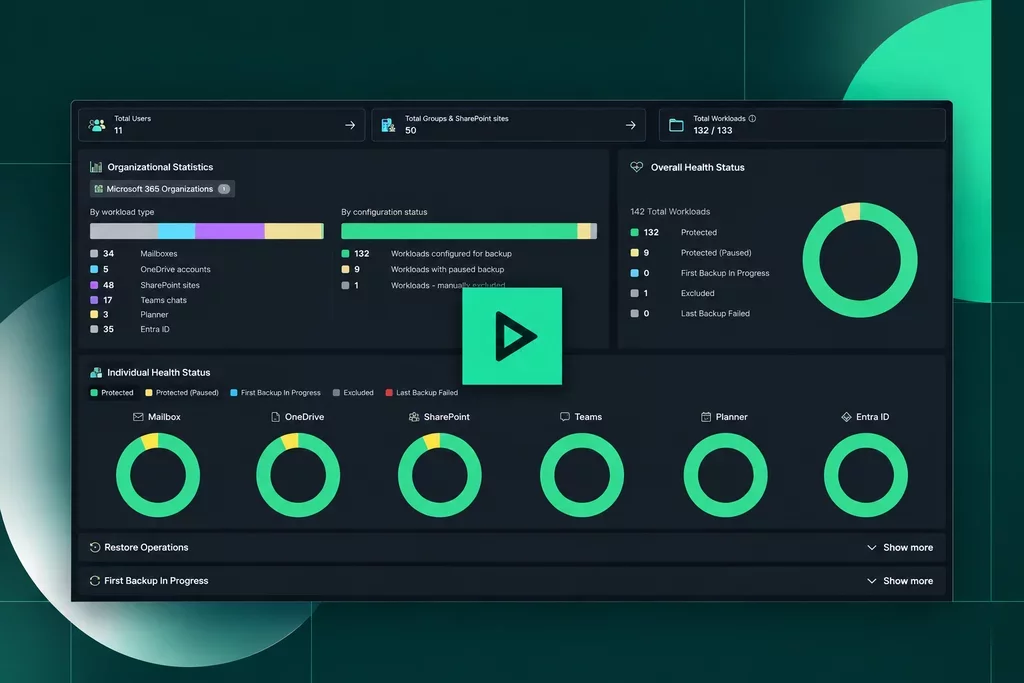
Protect your Microsoft 365 data from loss, misuse, and accidental exposure with integrated DLP and automated, secure backup and granular restoration. 365 Total Backup gives you full control over how data is shared, stored, and recovered. 

Automated Backup and Recovery

Continuously protect all your critical M365 business data with simple, centralized management.

Unlimited Backup and Restore

Take advantage of unlimited retention, flexible recovery options, and a four‑eye approval process.

Permission Management

Prevent unwanted data exposure with tenant-wide visibility and control over data sharing in 365 Permission Manager.

Turn your people into a strong line of defense

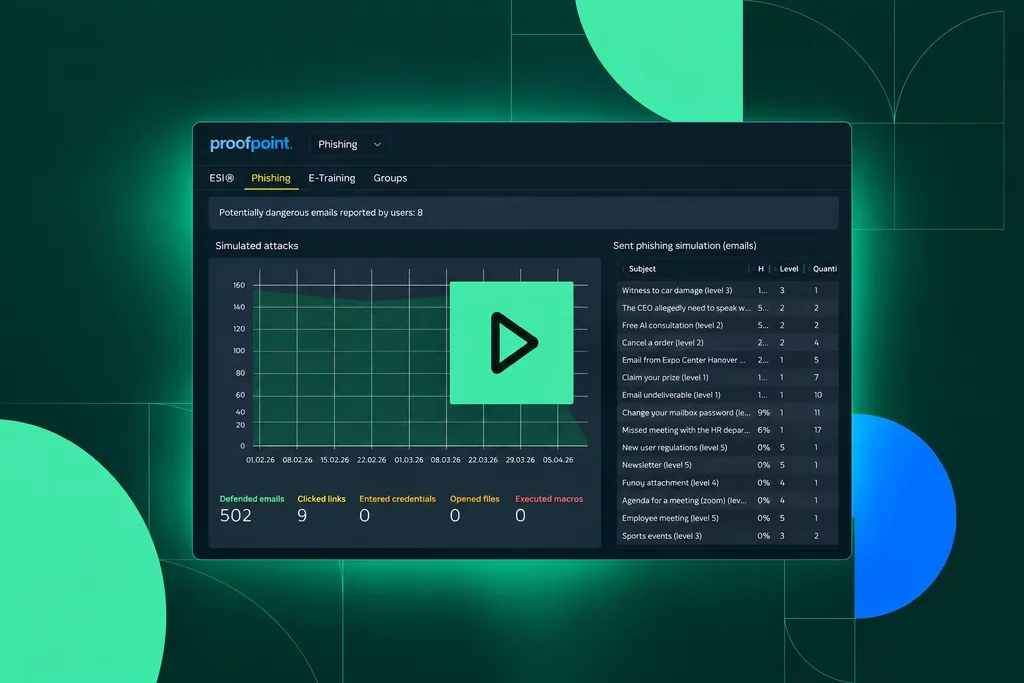
Empower your users to recognize and stop threats with adaptive security awareness training. Our Security Awareness Service helps users identify, resist, and report attacks, making them an active part of your defense strategy.

Personalized Training at Scale: Deliver auto-generated phishing tests tailored to each user—available in 30+ languages.

Employee Security Index (ESI) Scoring: Measure your users' behavior for clear insights into awareness performance at enterprise, group, and user levels.

Continuous Human Risk Reduction: Provide adaptive learning paths and get data-driven insights that help improve user behavior over time.

IT team collaborating at workstations and monitoring systems in office.

Ensure data governance, risk, and compliance in Microsoft 365

Take control of data sharing in Microsoft 365 to reduce exposure, support compliance, and secure collaboration. Use continuous permission audits, predefined policies, and automated fixes to minimize the risk of unauthorized access. 

Simplified Permission Reviews

An easy, non-disruptive workflow audits access and rolls back risky changes across users, groups, and nested groups.

Seamless External Sharing

Confidently share third-party access so teams can work with partners and customers without hindering productivity.

Secure Copilot Usage

Enforce safe access to sensitive content for Microsoft Copilot to keep AI-driven work compliant.

Comparison

365 Total Protection vs. native Microsoft 365 security tools

Capability 365 Total Protection Native M365 Tools
Unified protection across email, data, users, and security awareness in one platform
Yes
No
AI-powered email threat detection with multilayer phishing, BEC, and malware protection
Yes
No
Dedicated backup with unlimited retention and storage independent of Microsoft
Yes
No
Automated post-delivery threat remediation with real-time message removal
Yes
No
Built-in security awareness training with adaptive phishing simulations
Yes
No
Centralized management of users, policies, and permissions from a single interface
Yes
No
Integrated governance and permission controls across SharePoint, OneDrive, and Teams
Yes
No

Flexibility that fits your needs

Choose the 365 Total Protection package that meets your feature requirements and budget.

Onboard with ease. Benefit from AI-based security, backup, and GRC in minutes with automation and helpful onboarding wizards.

Colleagues reviewing information together on desktop monitor in office.
Partner with Proofpoint

Partner with Proofpoint

Are you a managed services provider who wants to offer 365 Total Protection to your customers? Our platform helps you onboard clients quickly and frictionlessly to deliver powerful security in just a few clicks. 

  • Create new revenue streams by offering best-in-class email security, backup, awareness training, and GRC services. 
  • Simplify management with a single multitenant admin console. 
  • Choose from flexible packages that let you tailor services to each customer’s needs. 
  • Streamline licensing and billing with a unified, easy‑to‑manage process. 
Presenter reviewing analytics dashboard with team during business meeting.
Request a Demo

Request a demo

Future-proof your business operations with AI-powered Microsoft 365 security, data protection, compliance, and security awareness training. 

FAQ

FAQ

  • What is Proofpoint 365 Total Protection for Microsoft 365? 

    365 Total Protection is a unified security suite for Microsoft 365. It includes email protection, backup and recovery, governance, compliance, and security awareness training in one platform. ...

    365 Total Protection is a unified security suite for Microsoft 365. It includes email protection, backup and recovery, governance, compliance, and security awareness training in one platform. You can manage everything from a single console to reduce risk, protect data, and simplify security operations. 

  • How can I protect against email spoofing and impersonation in Microsoft 365? 

    Protecting against spoofing and impersonation starts with strong email authentication and clear visibility into senders. ...

    Protecting against spoofing and impersonation starts with strong email authentication and clear visibility into senders. 365 Total Protection helps you configure and enforce DMARC, DKIM, and SPF across your domains. It also provides reporting to identify unauthorized senders and stop fraudulent messages before they reach users. 

  • What Microsoft 365 data should I back up, and why? 

    You should back up critical Microsoft 365 data such as Exchange mailboxes, OneDrive, SharePoint, Teams, and other collaboration content. ...

    You should back up critical Microsoft 365 data such as Exchange mailboxes, OneDrive, SharePoint, Teams, and other collaboration content. This protects against accidental deletion, cyberattacks, and gaps in retention. 365 Total Protection provides automated backup with unlimited retention and secure storage independent of Microsoft. 

  • How do I manage Microsoft 365 sharing and permissions for compliance? 

    To manage sharing and permissions, you need clear visibility into access and the ability to enforce policies at scale. ...

    To manage sharing and permissions, you need clear visibility into access and the ability to enforce policies at scale. 365 Total Protection audits permissions across SharePoint, OneDrive, and Teams. It identifies risky external sharing and lets you fix issues in bulk to support compliance. 

  • How do I maintain business continuity in Microsoft 365 during an attack or outage? 

    Business continuity depends on keeping email available and restoring data quickly. ...

    Business continuity depends on keeping email available and restoring data quickly. 365 Total Protection provides email continuity, compliant archiving, and fast, granular data recovery. These capabilities help keep communication and collaboration running during incidents.